Wedding QR Photo Sharing

Every guest's photos,
one shared gallery.
Put a QR code on every table. Guests scan, upload, and every photo, guestbook message, and voice note from the night lands in one place.
No app downloads. No guest accounts. Free to set up.
Get RSVPs, seating, vendors, and our customisable wedding website.
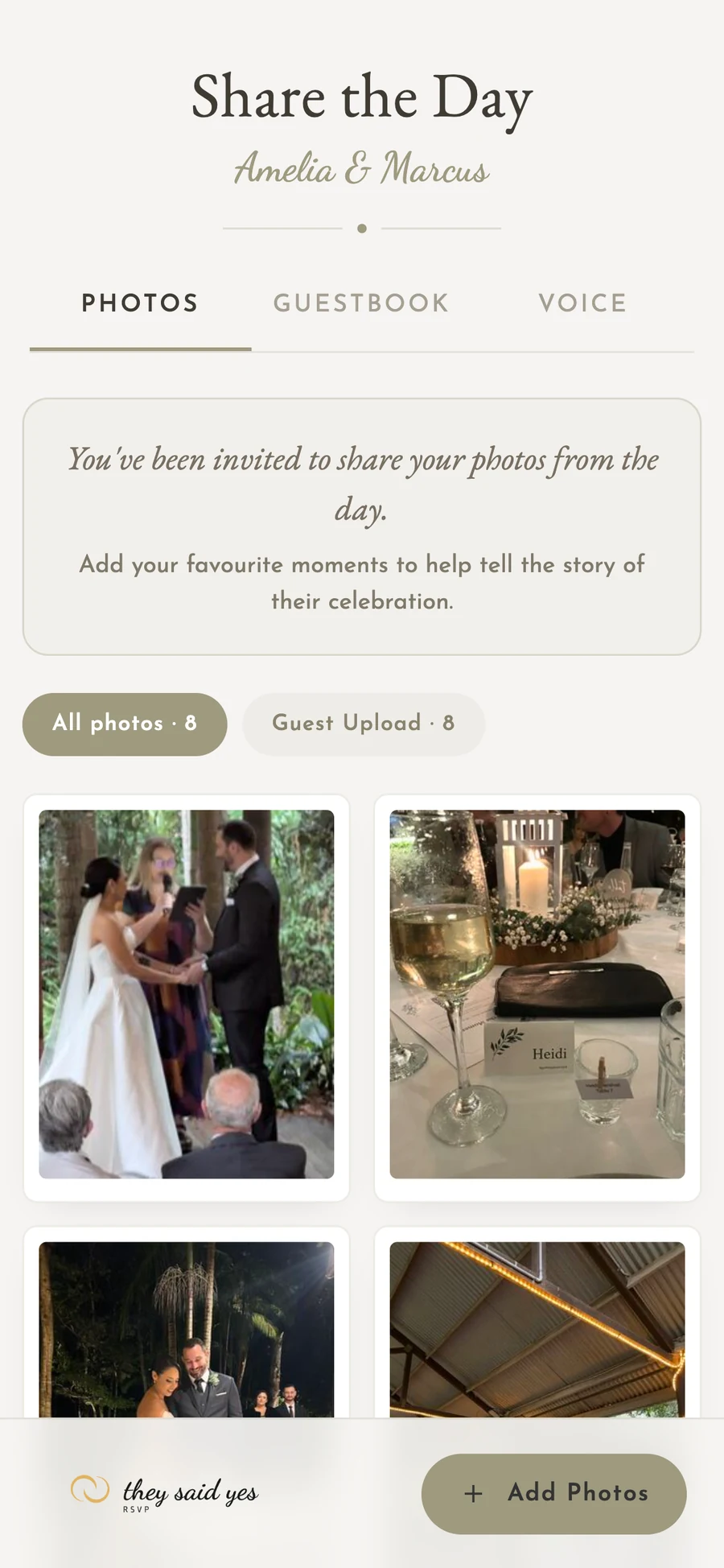
Your shared gallery
Guests scan the QR code.
Every photo lands here.
What you get
Wedding Photos, Without the Hassle
Skip the shared albums, lost USBs, and group chats. One QR code, one gallery, every photo, message, and voice note.
One QR code
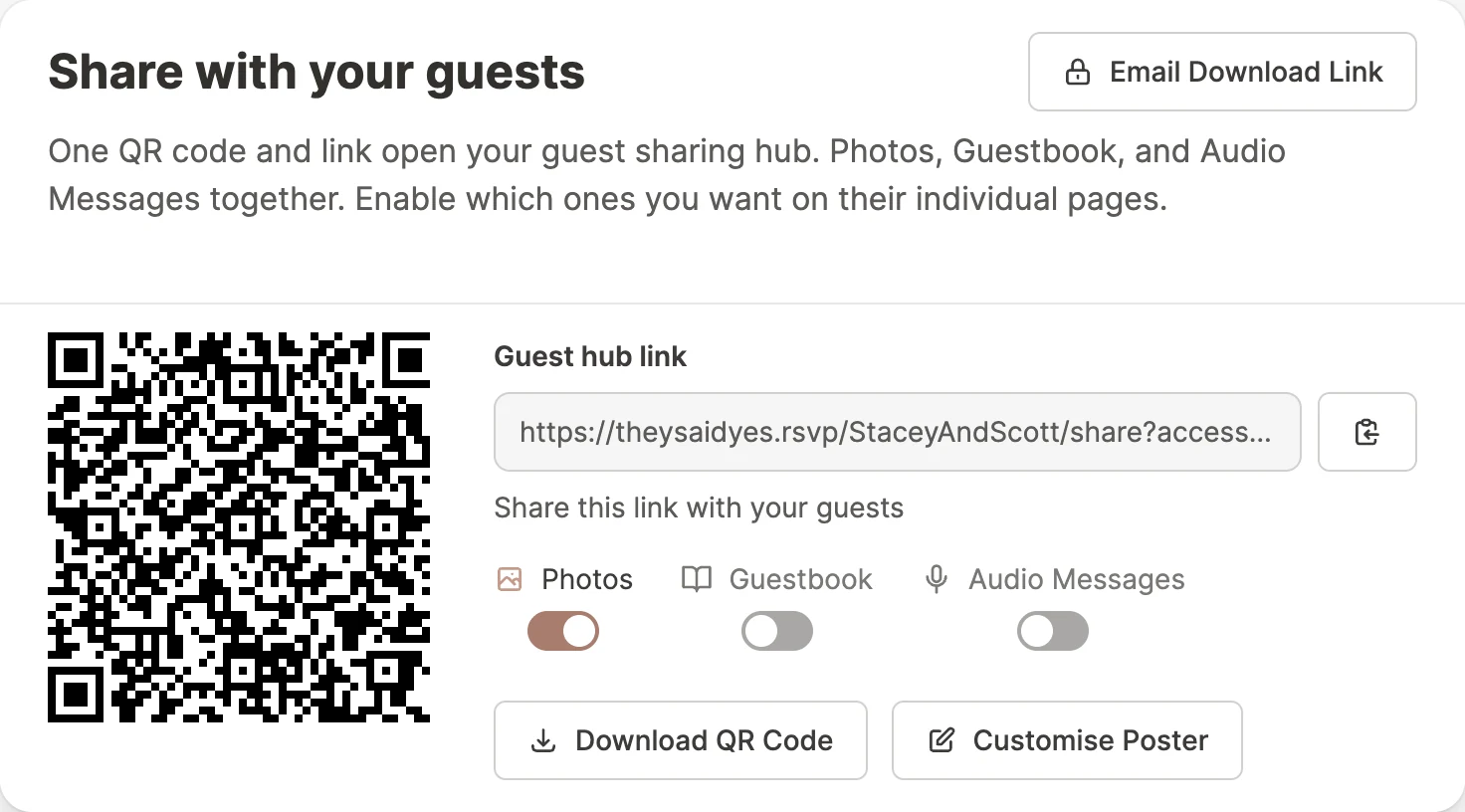
Print it for table cards, the welcome sign, or the bar. Every scan lands in the same gallery.
No app required
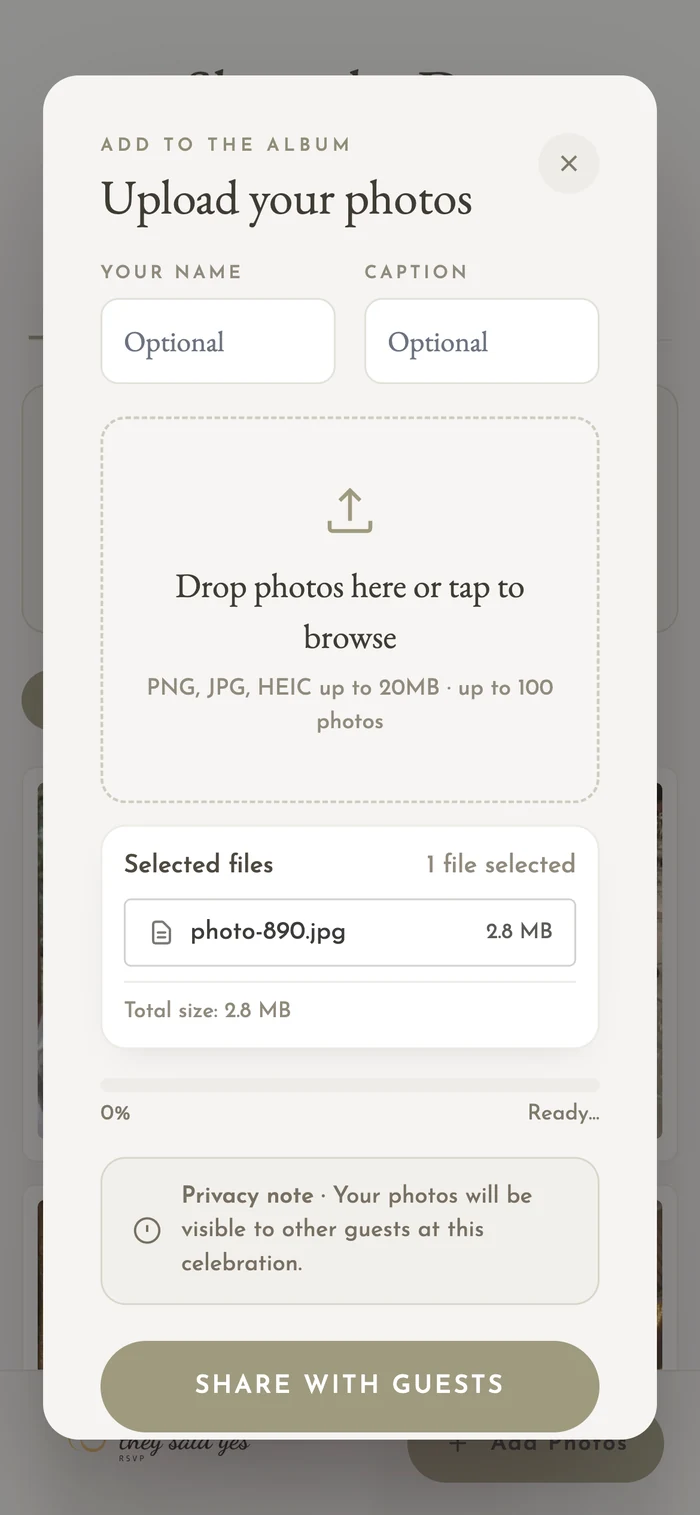
Guests scan, the camera opens, photos upload. No downloads, no logins, no fuss.
Guestbook & voice notes
Guests sign the guestbook and record voice messages alongside their photos. Just want photos? Leave either one off.
Download anytime
Bulk download photos, guestbook messages, and voice notes whenever you're ready. They're your memories.
Built for the day
Capture every moment, even the ones you missed.
Your photographer captures the curated shots. Your QR code captures everything else. The first-look reactions, the speeches from the back of the room, the late-night dance floor.
- Printable QR poster, ready for table cards or signage
- Instant uploads from any phone, on any network
- Guestbook messages and voice notes land alongside the photos
- Download the full gallery whenever you like
- Decide later if you want the full RSVP and website tools too
Your gallery, your rules
Enable what you want. Disable what you don't.
Photos, guestbook, and voice messages each have their own switch on your sharing hub. Flip one off and it disappears from what guests see. Just want a photo gallery? Leave the other two off.
- One QR code and link covers everything you enable
- Guests only ever see the pages you've switched on
- Change your mind any time, even on the day
How it works
From Sign-up to Shared Photos in Minutes
Simple sign-up - your names and your date. That's all we need.
Sign up
Tell us your names and your wedding date. No venue, no themes, no heavy setup wizard.
Print your QR
Download a printable QR poster. Put it on tables, the welcome sign, or in the program.
Relive the day
Photos, guestbook messages, and voice notes roll in throughout the night. Bulk-download everything when you're ready.
Simple pricing
Free to start. $29 to unlock the whole night.
A single one-off price per event. No subscriptions, no surprises.
Free
$0
Try us out
- Your gallery shows the latest 30 photos and 5 voice messages
- Guests upload from a QR code, with unlimited guestbook messages
- Printable QR poster
Unlocked
$29 USD
One-off per event
- Everything in Free, plus
- Unlimited photos and voice messages in your gallery
- Guests keep uploading all night
- No subscriptions, no recurring charges
FAQ
Wedding Photo Sharing Questions
Ready to catch every photo, message, and voice note from your wedding?
One step, three fields, your gallery is live. Free to set up.
Set up your photo galleryFree to set up, with your first 30 photos and 5 voice messages included. Try us now, no credit card required.
Planning the full wedding too? See the complete planning tools.